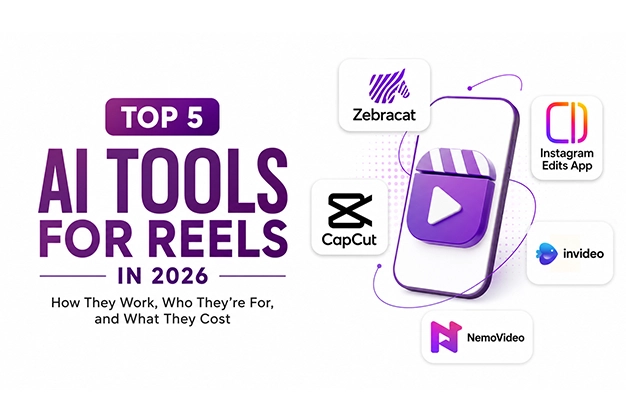
Reels are the fastest-growing format in digital marketing, and AI tools have made it possible to publish daily without a full production team. At VoilaWex, we test these tools hands-on for our clients across Kerala, Chennai and Bangalore. Here are our top five picks for 2026 — with an honest look at how each works, who it suits, where it falls short, and what it really costs.
1. Zebracat — Best for Generating Finished Reels from Text
How it works
Type a script, idea, or paste a blog post, and Zebracat assembles a complete reel — visuals, voiceover, and captions — in under two minutes. Its AI orchestration picks the best generation model for each scene, and a built-in video agent can schedule and post directly to your channels, learning from performance data over time.
Ideal for
Faceless channels, marketing teams, and anyone producing content at volume.
Advantages
- End-to-end automation
- Ultra-realistic AI voices
- 80+ languages
- Output that improves with your channel’s data
Areas of improvement
- Limited manual editing control compared to timeline editors
- The credit system can feel restrictive for longer videos
Pricing
Free plan (watermarked, around 1 minute per week); Cat Mode at $39/month; Super Cat at $98/month, with roughly 30% off on annual billing.
2. CapCut — Best Free AI Editing with Trending Templates
How it works
A traditional timeline editor (mobile, desktop, and web) supercharged with AI — auto captions, background removal, and AI-assisted editing — plus a huge library of trending templates and effects for footage you’ve filmed yourself.
Ideal for
Footage-first creators and influencers who film their own content.
Advantages
- The most capable free editor available
- Full timeline
- 1080p export with no watermark on standard edits
- Templates that track platform trends closely
Areas of improvement
- The 2026 plan restructure moved many AI features behind the higher Pro tier
- Several effects now carry watermarks on free
- Support is email-only with slow response times
Pricing
Free plan; Standard at $9.99/month; Pro at $19.99/month or $179.99/year (4K export and the full AI toolkit). Prices vary slightly by region and app store.
3. Instagram Edits App — The Default Reliable Editor
How it works
Instagram’s own standalone creation app. Capture longer clips, edit on a proper timeline, and export polished reels in 4K — shareable to any platform, not just Instagram.
Ideal for
Everyday creators who want simple, dependable editing without learning a complex tool.
Advantages
- Clean and reliable
- 4K export with no watermark
- Completely free
- Naturally aligned with what performs on Instagram
Areas of improvement
- Fewer advanced AI features and effects than CapCut or dedicated AI generators
- It edits well but doesn’t generate content for you
Pricing
Completely free — no subscription tiers.
4. InVideo — Best for Stock-and-Template Reels
How it works
Describe your reel in a prompt or upload your own media; InVideo’s AI generates visuals, voiceovers, music and trending effects, drawing on a massive stock footage and template library. It remembers your style for consistent branding.
Ideal for
Beginners and businesses creating reels without filming original footage.
Advantages
- Generous template variety
- Integrated iStock library
- Voice cloning
- A conversational editing interface that suits non-editors
Areas of improvement
- Output can look “stock-like” if you don’t customise
- AI generation minutes are capped per plan
- Unused minutes don’t roll over
- Free exports carry a watermark
Pricing
Free plan (watermarked, around 10 AI minutes per week); Plus at $25/month ($20/month on annual billing); Max at $60/month ($48/month annual); a higher Generative tier for advanced AI models.
5. NemoVideo — Best for Viral-Ready Reels from Any Input
How it works
A chat-based AI editing agent — drop in text, scripts, blog posts or raw footage, describe what you want, and it produces a viral-optimised reel. Its trend-analysis engine studies high-performing content structures and applies them to your videos. In our March 2026 testing, it was the top performer for viral-style output.
Ideal for
Creators and brands focused squarely on viral potential and high posting frequency.
Advantages
- Works with any input type
- Plain-language editing
- Built-in viral trend analysis
- Batch production for e-commerce
Areas of improvement
- A newer platform with a smaller community
- Credit-based usage requires planning
- The jump from Starter to Pro pricing is steep
Pricing
Free plan (15 credits/month, watermarked); Starter at $19.99/month; Pro at $249.99/month for agencies and high-volume brands.
Sources
Pricing and feature details verified in June 2026 from: zebracat.ai/pricing, capcut.com (Standard vs Pro guide), InVideo pricing documentation (invideo.io), nemovideo.com/pricing, official app listings for Instagram Edits, and independent 2026 pricing reviews (TrustRadius, Capterra, SaaSworthy, Flowith, FluxNote, Comparateur-IA). Prices may vary by region, platform and promotions — always confirm on the official websites before subscribing.
Final Word from VoilaWex
The right tool depends on your workflow: Zebracat for volume, CapCut for hands-on editing, Instagram Edits for simplicity, InVideo for stock-based production, and NemoVideo for viral-first content. Whichever you choose, VoilaWex always ensures Clarity, Transparency and Accuracy in our business, our services, and the information we share — including every recommendation in this article.